
Meeting overload
Too many meetings, not enough clarity on who's actually free.
Plan meetings, coordinate availability, and catch scheduling conflicts before they happen, through a conversational AI assistant built on Calendar Pro's shared calendar engine. All without leaving Microsoft Teams.
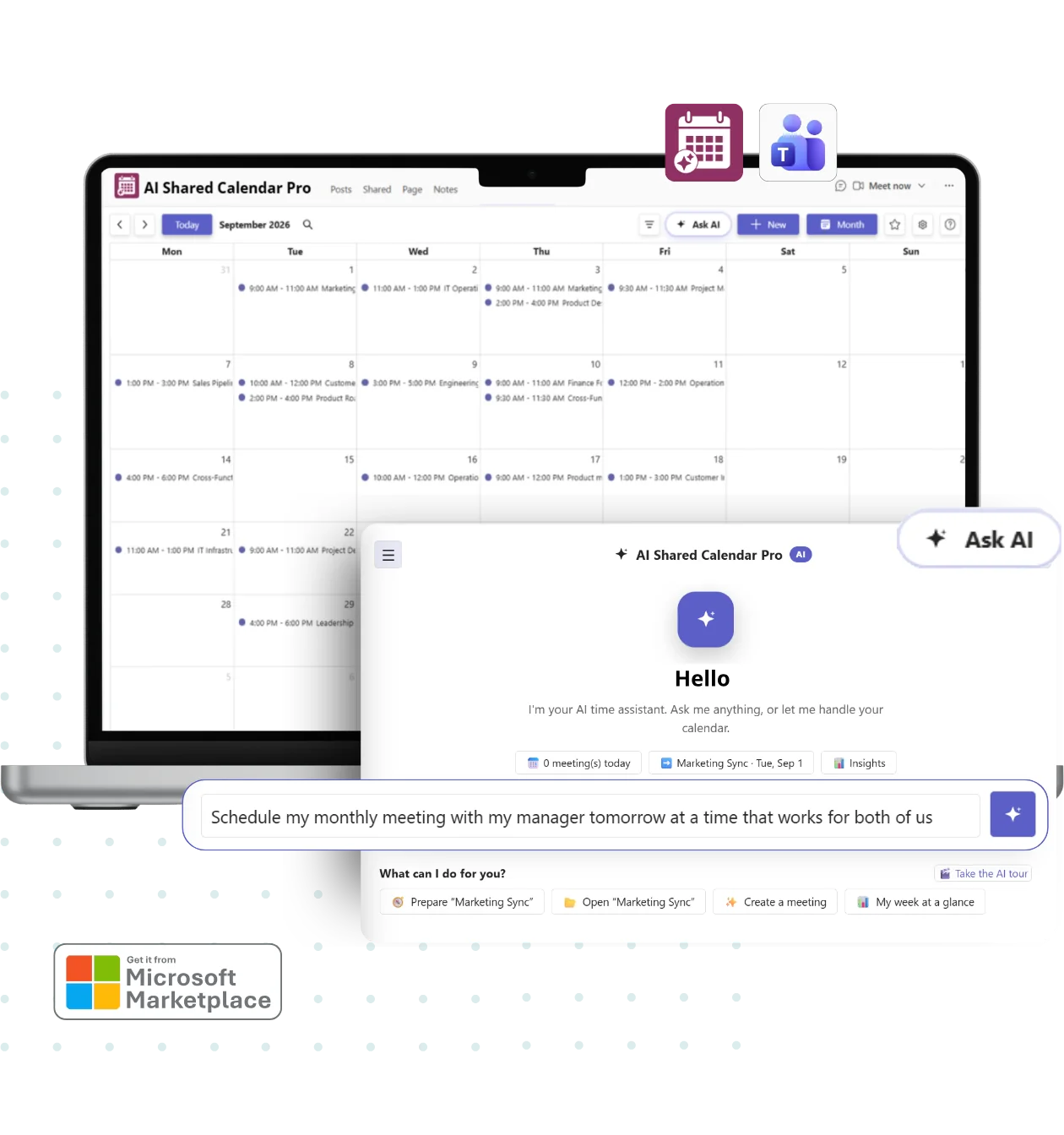
Try asking AI Shared Calendar Pro
From creating recurring events to spotting conflicts before they cause problems, just describe what you need.
Create
“Schedule a recurring team sync every Monday at 9 AM with Sales, and add it to the HR Annual Planning calendar.”
Create single or recurring events with participants, locations, and tags, without opening a single form.
Coordinate
“Find a 30-minute slot this week when the whole Marketing team is free.”
Let the assistant check availability across your team and suggest a time that works for everyone.
Detect conflicts
“Does anyone have overlapping commitments during Friday's town hall?”
Catch overlapping commitments before a meeting is even created, with automatic conflict detection.
Visualize
“Show me our team's workload distribution for next month.”
Get plain-language insights into calendar activity and planning distribution across your team.
You always see what the assistant is about to do, nothing is created, changed, or sent without your review.
The problem
Too many meetings, not enough clarity on who's actually free.
Double-bookings and overlapping commitments discovered too late.
No clear view of what other teams are planning, or when.
Tracking office presence, leave, and remote work across a distributed team.
Manually converting time zones for every cross-region meeting.
Outlook, Google Calendar, and Teams calendars that never quite line up.
Key Benefits
Team, department, project, and operations calendars in one shared planning workspace, no more juggling individual Outlook calendars.
Walk into any meeting fully prepared, objectives, people, and context, summarized in seconds.
Participant conflict detection and scheduling intelligence flag overlapping commitments before a meeting is created.
Built-in time zone management and date interpretation help distributed teams coordinate across regions.
Built-in insight and visualization capabilities give you a clearer view of calendar activity and planning distribution.
Connect events to Power Automate to trigger notifications, updates, or workflows the moment something changes on the calendar.
Built on Calendar Pro
AI Shared Calendar Pro extends Calendar Pro's shared calendar foundation with an AI assistant on top, so every core capability is already there.
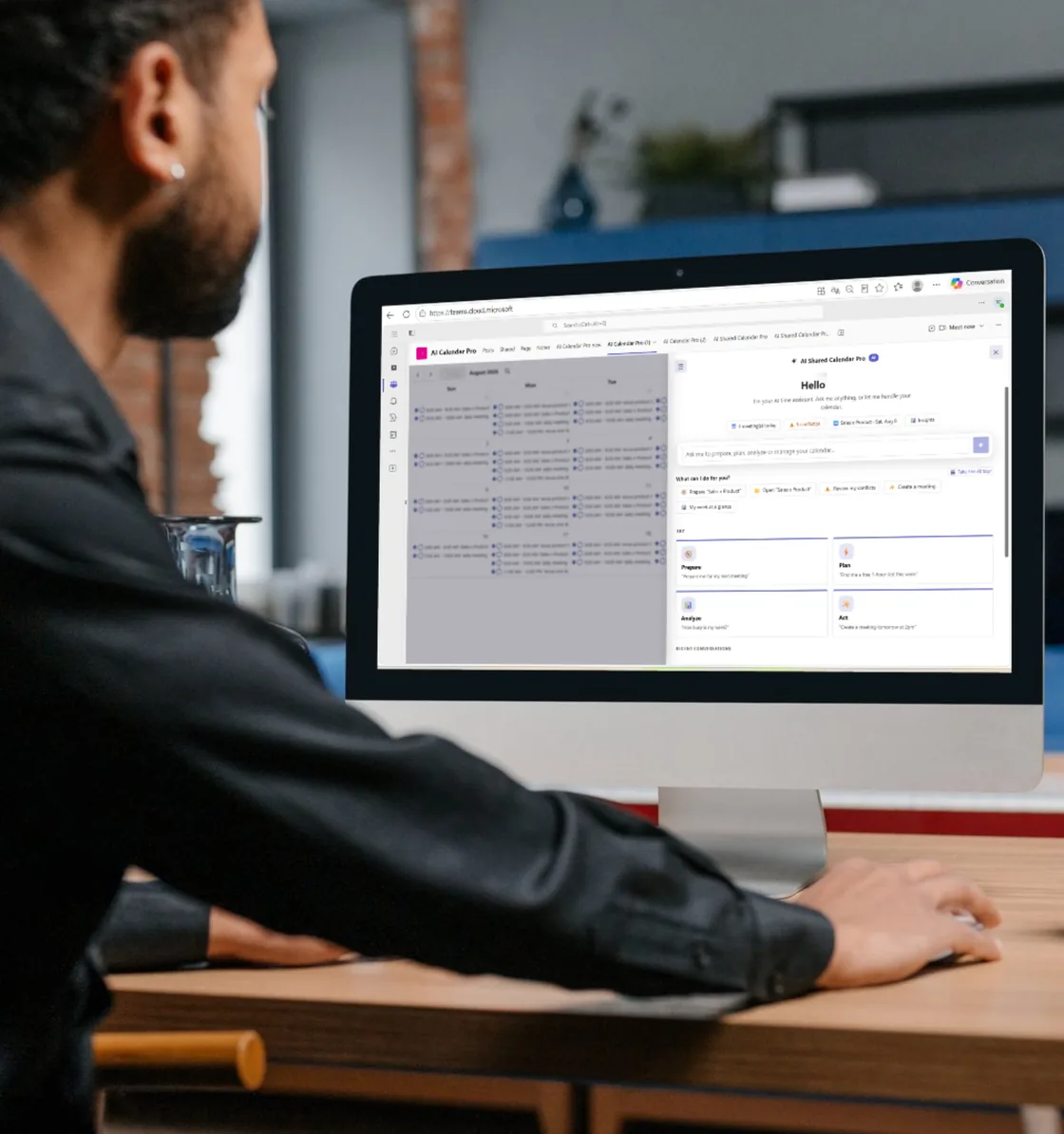
Daily, weekly, monthly, and agenda views, with event categorization, filters, and role-based permissions.
Single and recurring events with locations, attachments, tags, categories, and participant management.
Room booking, shared resource booking, and availability visibility across your organization.
Outlook synchronization, Google Calendar synchronization, and ICS synchronization, plus Power Automate integration.
Calendar Connectivity
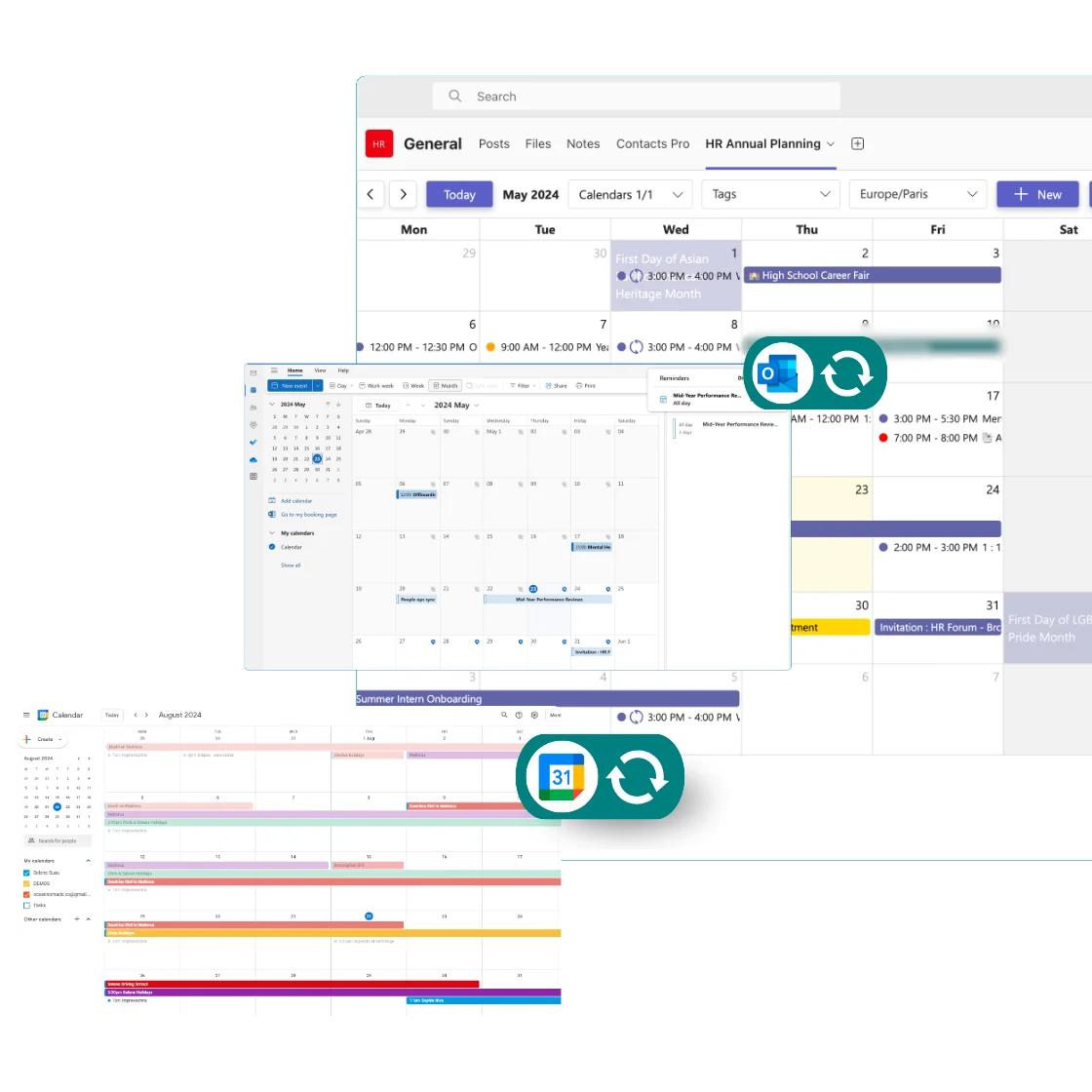
Synchronize your Outlook, Google Calendar, or any .ics calendar with AI Shared Calendar Pro, so every commitment shows up in one shared view, no matter where it lives.
Manage Permissions
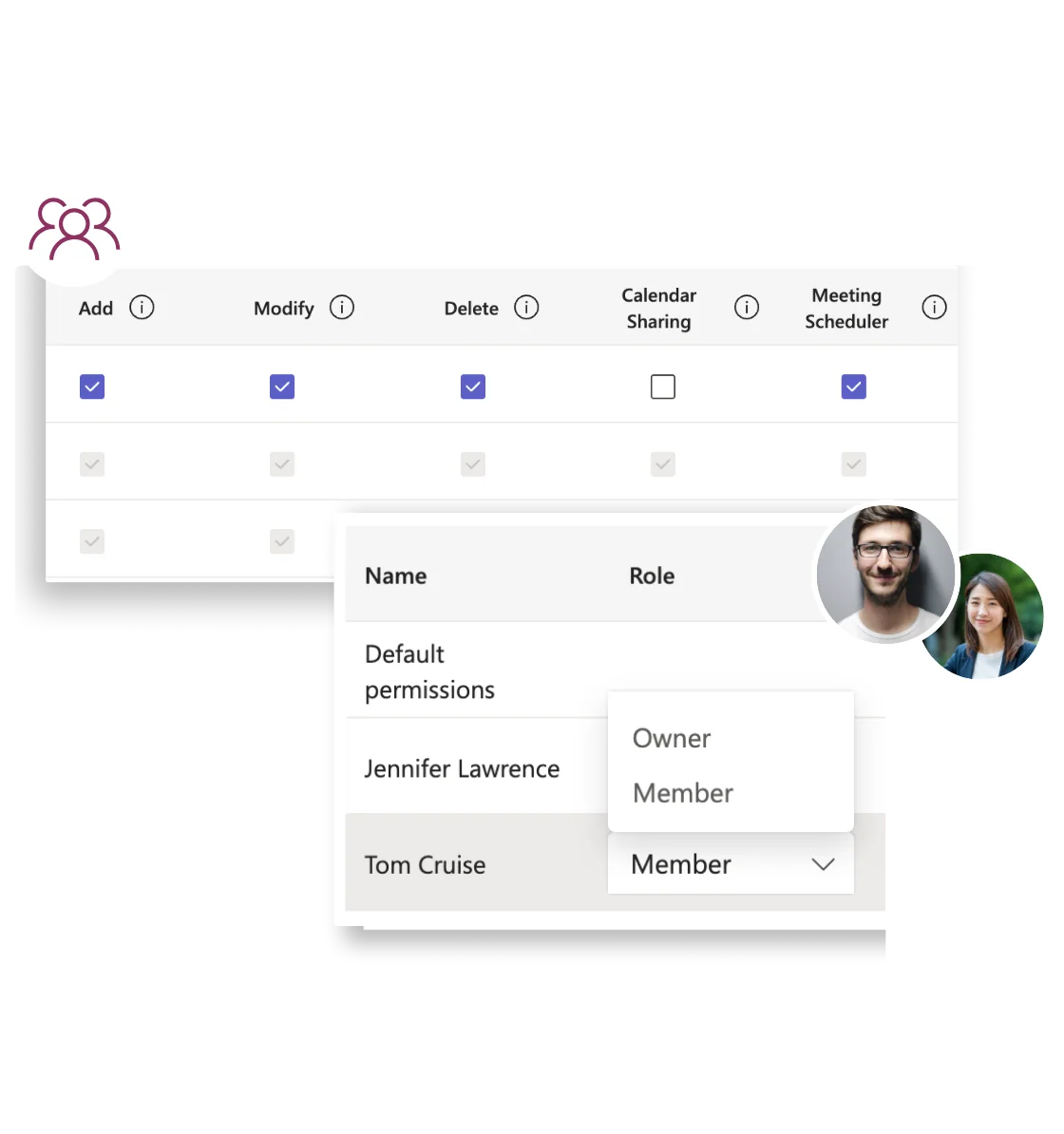
Assure the right access to the right team members with granular permission control, add, modify, delete, calendar sharing, and meeting scheduler rights, set per person or by default.
Ideal Use Cases
Coordinate milestones, ceremonies, and reviews in a shared planning workspace.
Manage shifts, coordination meetings, resource allocation, and planning visibility.
Track office presence, leave, remote work, and team availability from one calendar.
Reduce scheduling friction with AI-assisted planning and participant conflict detection.
Simple Setup
Launch Teams from desktop, web, or mobile, no separate app to install.
Install it in any channel and create your first team, department, or project calendar.
Describe the event or the availability you're looking for, and let the assistant handle the rest.
Microsoft Teams Native
AI Shared Calendar Pro is a native Teams application, listed on Microsoft's Partner Center, so it feels like part of Teams, not a bolted-on tool.
Runs directly inside Teams channels and tabs, with the familiar UI your team already knows.
Connects with Outlook, Google Calendar, and Power Automate for end-to-end planning workflows.
Built on Witivio's enterprise-grade, ISO 27001-certified infrastructure.
Use this simulator to calculate your team’s cost. When you’re ready, visit Microsoft Marketplace to complete your purchase.
Simulate your pricing
Platinum
PopularAI Shared Calendar Pro is a single plan, per user, for teams of 1 to 250 users.





Core Features | |
AI Chat Assistant | |
Participant Conflict Detection | |
Smart Scheduling | |
Calendar Insights & Workload Visualization | |
Recurring Events & National Public Holidays | |
Time Zone Management | |
Data Management | |
EU Data Residency | |
GDPR Compliance | |
Business Support | |
Help Center Access | |
Support Tickets and Live Chat | |
Priority handling |
Need 20+ licenses?
Get volume discounts, dedicated onboarding, and priority support for your team.
FAQ