On a hybrid Monday your office sits half empty. By Thursday every room shows "booked" and three of them are dark. If your Microsoft Teams room booking still runs on resource mailboxes designed for a one-person-per-desk world, that swing is not a glitch. It is the design. This guide breaks down the two failure modes that waste the most time in hybrid offices, double-booked rooms and ghost reservations, and gives you five practices to end them, whatever tooling you run.
- Hybrid offices swing from near-empty to near-full across the week: CBRE reports 53% average building utilization against an 80% peak in 2025.
- The one-to-one desk is gone: CBRE finds no organization targets a 1:1 seat ratio, and 69% report that over 40% of workers have no designated desk.
- Booked no longer means occupied: workplace-analytics vendor Worklytics reports the meeting-room booking-to-occupancy ratio fell to about 0.71 in 2025.
- Native check-in and auto-release work, but they lean on room-panel hardware, Exchange Online mailboxes, and, after April 1 2026, a per-space license.
- You can fix most conflicts with five tool-agnostic practices, then run room and desk booking inside Teams with no panels to buy.
What is Microsoft Teams room booking?
Put plainly, it is how people reserve shared space without leaving the app they work in all day.
Microsoft Teams room booking is the practice of reserving meeting rooms and desks directly inside Microsoft Teams, without switching to Outlook or a separate app. Employees see what is free, book it in a click, and release it when plans change, so shared space matches real attendance instead of a fixed seating chart.
The reason this matters more than it used to is simple: the office it books space for has changed shape. Hybrid is now the norm, and organizations are actively measuring and tooling for it. JLL's 2024 Global Occupancy Planning Benchmarking Report found that 87% of organizations operate a hybrid program, 77% now track utilization data, and 40% have invested in enhanced conference-room technology. If you are researching a room booking system, you are not early. You are on time.
The hybrid office broke the one-to-one desk
For decades, room and desk booking assumed one person, one desk, and a predictable weekly rhythm. That assumption is gone. In CBRE's 2026 Global Workplace and Occupancy Insights, no organization reports a 1:1 seating-ratio target, and 69% say more than 40% of their workers have no designated desk. Sharing is now the default, not the exception. Rooms and desks are booked differently, though: if the seat itself is the problem, our guide to desk booking in Microsoft Teams compares the three native paths and what each one costs.
The harder problem is that shared space is not used evenly. The same floor is over-subscribed on anchor days and mostly empty on the edges of the week.
That gap, 53% on average versus an 80% peak, is the mechanical source of your two problems. On peak days demand outruns supply and rooms get double-booked. On quiet days supply outruns demand and rooms get booked out of habit, then abandoned. A booking model built for a steady one-to-one office cannot absorb that swing. It just records the conflict.
The two failure modes: double-bookings and ghost reservations
A double-booking is the loud failure. Two groups arrive, one wins, one goes hunting for a corner. A ghost reservation is the quiet one, and it is more expensive at scale: a room shows as booked, so the system turns everyone else away, but nobody shows up.
How big is the ghost problem? Be careful with the numbers here, because most of them come from vendors who sell the fix. The figure you will see repeated across workplace-software blogs, "30 to 40% of booked rooms sit empty," has no traceable analyst or academic source, so treat it as directional industry lore rather than fact. The most method-transparent proxy comes from workplace-analytics vendor Worklytics, which reports that the meeting-room booking-to-occupancy ratio fell from about 0.85 in 2023 to about 0.71 in 2025, meaning roughly 30% of booked rooms went unused. Even read conservatively, the direction is clear: booked and occupied have drifted apart.
There is no credible published figure for the time lost per double-booking incident, so this guide will not invent one. The point stands without it: every ghost room and every collision is capacity you paid for and could not use.
Where native Microsoft 365 room booking falls short
Here is the honest part. Microsoft already does a lot of this. Microsoft Places, with Teams Panels and Microsoft Teams Rooms, offers desk and room booking, check-in, and auto-release inside the Microsoft stack. If someone does not check in, auto-release cancels the reservation after a configurable window, defaulting to 10 minutes, and frees the room for someone else. That mechanism, reclaiming un-checked-in rooms, is exactly the right lever against ghost bookings.
The catch is what it costs to run for a small, software-only office. Per Microsoft's own documentation, check-in relies on a Teams Panel, a Microsoft Teams Rooms console, or the Teams meeting chat, and Microsoft recommends restricting the feature to rooms with panels or Teams Rooms devices so everyone has a way to check in. It works only for mailboxes in Exchange Online, and desk auto-release applies only to desks configured as "reservable." On top of that, after April 1 2026 check-in and auto-release require a Teams Rooms or Teams Shared Space license attached to each space, a change corroborated by industry body AVIXA. Pre-2026 Teams Premium licenses are grandfathered, but new deployments pay per space.
For a company under 200 people standardizing on Teams, that is hardware to mount, resource mailboxes to configure, and a license that scales with every room and desk you add. The problem is not that native booking is absent. It is that the frictionless version assumes a hardware and licensing footprint many hybrid offices would rather skip.
Five practices to kill double-bookings and ghost reservations
Most of the fix is behavior and configuration, not budget. Four of the five practices below are well-attested best practice rather than statistically proven interventions, so apply them as sensible defaults. Only check-in plus auto-release has a measured, if vendor-reported, effect.
- Turn on check-in and auto-release
Require a quick check-in and release the room if no one confirms within a set window. Microsoft defaults to 10 minutes, and vendors report this reclaims the majority of ghost rooms, though the exact percentage is directional.
- Book by capacity, not by habit
Match the room to the meeting size so a two-person catch-up stops blocking the only room that seats ten.
- Show a live floor plan
Let people book from a map of what is free right now, instead of guessing from a list of mailbox names.
- Set a realistic desk-to-room ratio
Plan shared space around your real peak day, not your headcount, since no organization now targets one desk per person.
- Cap the booking window
Limit how far ahead and how long a space can be held, so speculative all-day holds do not starve everyone else.
One caution on density. Killing the one-to-one desk is not license to compress people into pure hot-desking. Gensler's Global Workplace Survey of more than 16,000 office workers found that in unassigned settings, sense of belonging drops from 87% to 74% and focus support from 80% to 67%, and about 60% of employees in unassigned settings would prefer a dedicated workspace. The lesson is not to stop sharing. It is that booking has to be fair and frictionless, so people trust that a space will be there when they need it. The same logic applies to making presence visible, which is why a shared team calendar for hybrid presence pairs well with a booking system: one shows who is in, the other shows where they will sit.
How Teams Pro helps: Booking Room Pro
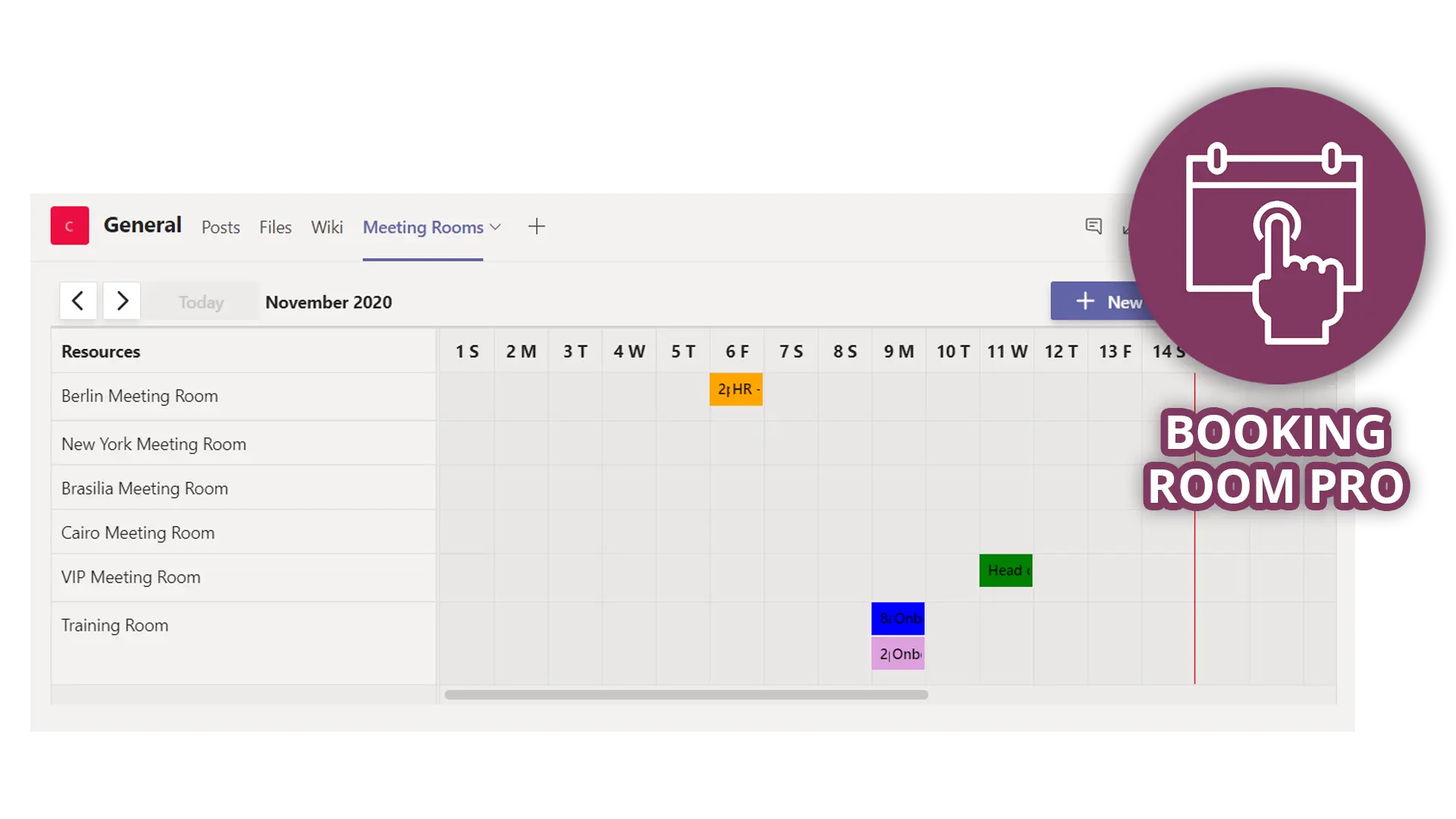
If you want the in-Teams experience without the panels and per-space licensing, that is the gap Booking Room Pro is built for. It runs inside Microsoft Teams, the app your team already opens every morning, and it books more than meeting rooms.
- Book meeting rooms, hot desks, labs and shared spaces from inside Microsoft Teams
- Runs in the Teams app your team already uses, not on separate room-panel hardware
- Add any booking to your Outlook calendar for full visibility alongside the rest of your schedule
- Copilot compatibility lets people ask in plain language what is booked and when
- A free Basic plan covers up to 3 rooms with unlimited single bookings and Teams notifications
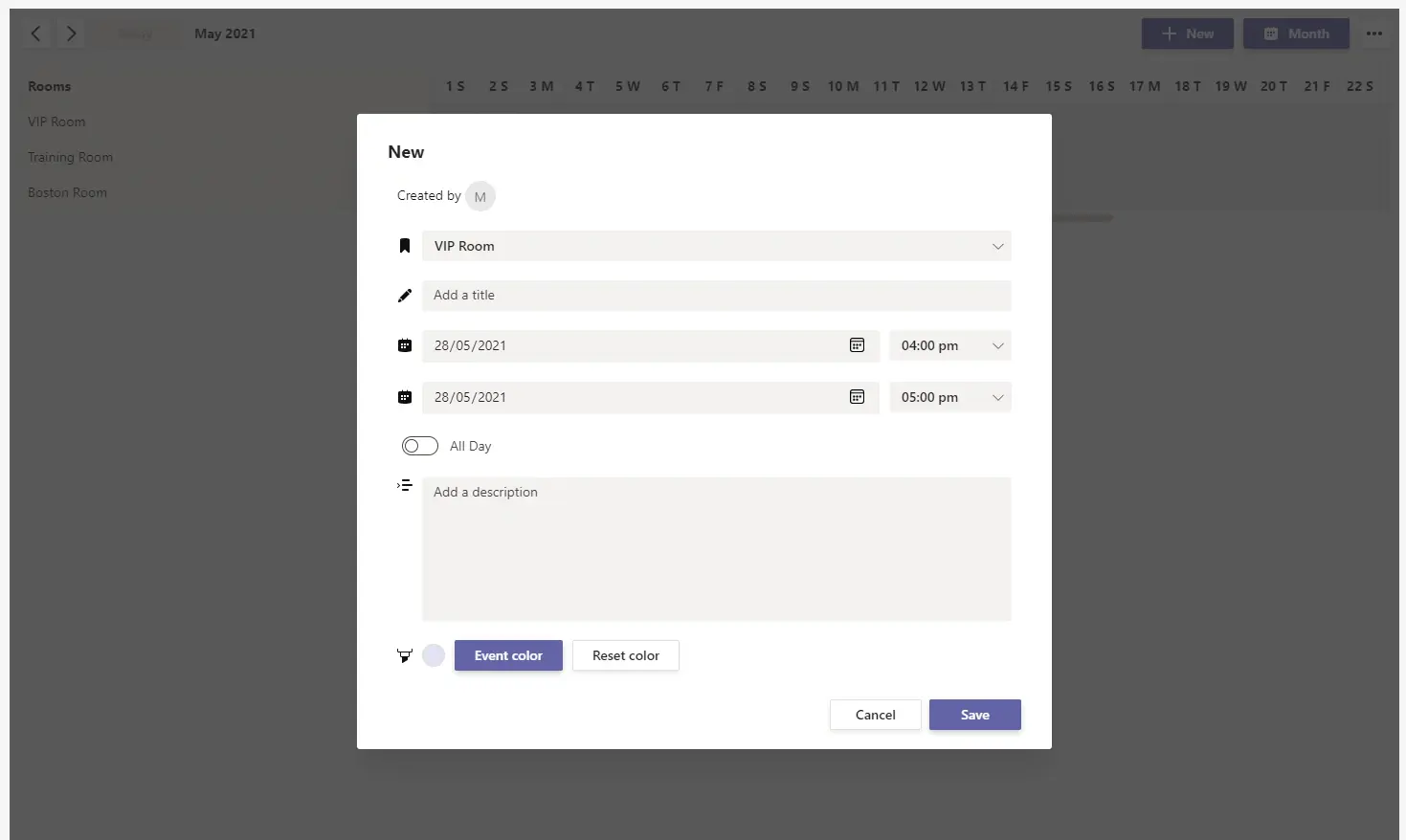
Because it lives in Teams, there is nothing new for employees to learn and no separate app to install on the way to a meeting. Add Booking Room Pro from the Microsoft Teams Store and start on the free Basic plan to see whether an in-Teams, hardware-free model fits your floor before you commit to anything larger.
Frequently asked questions
How do I book a meeting room in Microsoft Teams?
You book a room from wherever your organization has enabled it: through Outlook and the Room Finder, through Microsoft Places, or through an in-Teams booking app. The frictionless path is one where employees see live availability, book in a click, and release the space when plans change, all without leaving Teams.
Does Microsoft Teams have built-in room booking?
Yes, through Microsoft Places with Teams Panels or Microsoft Teams Rooms, including check-in and auto-release with a default 10-minute window. The trade-off is that the recommended setup leans on room-panel hardware, Exchange Online resource mailboxes, and, after April 1 2026, a per-space license.
What is a ghost reservation?
A ghost reservation, also called a ghost booking or no-show, is a room or desk that shows as booked but sits empty because no one arrives. It wastes capacity because the system turns other people away from space that is physically free. Check-in plus auto-release is the standard mechanism to reclaim it.
Why is my Teams room booking not syncing?
Native room booking depends on Exchange Online resource mailboxes and their calendar-processing settings, so most sync problems trace back to mailbox configuration rather than Teams itself. Confirm the room mailbox is in Exchange Online, that it accepts and processes meeting requests, and that any booking app has the calendar permissions it needs.
The payoff
Hybrid offices no longer fill up evenly, so a booking system built for a one-to-one world will keep recording double-bookings on busy days and ghost rooms on quiet ones. Five practices, led by check-in and auto-release, close most of that gap regardless of what you run. If you would rather do it inside Teams without buying panels or per-space licenses, try Booking Room Pro free and match your shared space to how your people actually show up. Once bookings live in one place, you can also ask the harder question: do you need more rooms, or just different ones? Our guide to meeting room utilization walks through five metrics to answer that from your own booking data, and the same demand-versus-supply question applies to the parking lot: see office parking utilization.