TL;DR — Most password security advice focuses on making passwords stronger. That's still necessary, but it's no longer the hard part. The harder, more dangerous problem in modern teams is where shared credentials live — Teams chats, Excel files, sticky notes, personal password managers IT can't see — and who has access to them. This guide walks through what actually puts teams at risk in 2026, and the practical changes that move the needle.
The password advice that hasn't aged well
For two decades, the standard advice was clear: make passwords longer, add symbols, change them every 90 days, never reuse them. We all learned it. Most of us still fail at it, but at least we know the rules.
Here's the uncomfortable truth: even when teams follow that advice perfectly, they're still getting breached. According to IBM's Cost of a Data Breach Report 2024, the average breach involving compromised credentials now costs organizations $4.81 million, and these attacks take longer to identify than any other attack vector — an average of 292 days from intrusion to containment. Strong passwords didn't save those teams. So what's actually going wrong?
The answer is rarely about password strength. It's about everything else. Where passwords are stored. Who can reach them. How they're shared. What happens when an employee leaves.
This is the layer most teams haven't fixed. And it's the layer attackers target.
The two questions that actually matter
When evaluating your team's password security, two questions matter more than complexity rules.
1. Where do your shared passwords actually live?
Take 30 seconds to think about your team's last shared credential. A tool login, a Wi-Fi code, a vendor portal, an account everyone uses. Where is it stored right now?
If you're being honest, the answer for most teams is some combination of:
A pinned Teams message from six months ago
An Excel file on a shared SharePoint folder, named something like
passwords_v3_FINAL.xlsxA Notion page nobody updates
A single teammate's brain, available only when they're online
Personal password managers (1Password, Bitwarden, the browser) that the company doesn't control
Each of these has a security problem. Teams messages can be forwarded, screenshotted, or accessed by anyone added to the channel. Excel files are usually unencrypted, version-controlled poorly, and impossible to audit. Personal password managers leave the company when the employee does, taking critical credentials with them.
The password itself can be 32 characters of random hex. If it lives in a Teams chat, it's still a security incident waiting to happen.
2. Who actually has access to that password right now?
This is the question that haunts every IT manager. If you ran an audit today, could you produce a list, for each shared credential, of exactly who can access it?
For most teams, the honest answer is no. Access has accumulated organically. Sarah shared the credential with Marc when he joined the project. Marc forwarded it to a contractor. The contractor screenshotted it. Sarah's laptop has it cached. Nobody removed access when the project ended.
This is how the average shared credential ends up reachable by 8 to 12 people, when it should only be reachable by 3.
Strong passwords don't fix access sprawl. Only a system designed for shared credentials does.
What actually puts teams at risk in 2026
Here are the four credential-related risks that account for the majority of incidents, ranked roughly by frequency.
1. Credentials shared in chat
The single most common pattern. A teammate needs access to a shared account, asks in a Teams or Slack channel, someone replies with the password in plaintext. That message is now indexed, searchable, and accessible to anyone with channel access, forever. Even if the original sender deletes it, screenshots and notifications already captured it.
CISA's identity and access management guidance warns that credential exposure inside collaboration platforms (chat, ticketing, project tools) has become one of the fastest-growing entry points for identity-based attacks — and that these intrusions now account for the majority of detected incidents in cloud-based productivity environments.
Deleting that message afterward feels like it undoes the exposure. It doesn't: see what Microsoft's own documentation says happens to a password pasted into a Teams chat, and what to do instead.
2. Departing employees who still have access
When someone leaves a team or a company, formal offboarding usually covers the obvious accounts: email, Slack, the company's main SaaS tools. What it almost never covers is the long tail of shared credentials they've collected over their tenure. The marketing tool nobody else uses. The vendor portal they were the contact for. The Wi-Fi password for the office. These remain valid, and remain in their personal notes, password manager, or memory.
3. Credentials stored in third-party clouds you don't control
This is the most overlooked risk. When a team uses 1Password, LastPass, Dashlane, or any consumer password manager, the credentials sit in that vendor's infrastructure. If that vendor is breached, and several have been, repeatedly, your credentials are exposed. The 2022 LastPass breach is the textbook example: encrypted vaults from millions of users were exfiltrated, and password recovery efforts continue to this day.
The European Union Agency for Cybersecurity (ENISA) has consistently flagged supply-chain attacks against cloud-based credential providers as a top threat in its annual Threat Landscape Report. For regulated industries (finance, healthcare, defense), storing credentials in a third-party cloud may also violate compliance requirements. GDPR, HIPAA, and ISO 27001 all have implications for where sensitive data resides.
4. Reused passwords across personal and work accounts
Everyone knows reuse is bad. Most people still do it. The risk isn't the work account directly. It's that an employee's personal account on a small forum gets breached, the password leaks to a credential-stuffing dump, and attackers try it against your corporate SSO. This is how a surprising number of enterprise breaches start.
Practical password security best practices for teams in 2026
Skipping the obvious advice (use long passwords, enable MFA, don't share via email — you've heard those), here are the practices that actually move the security needle for modern teams.
Choose a password manager designed for shared credentials
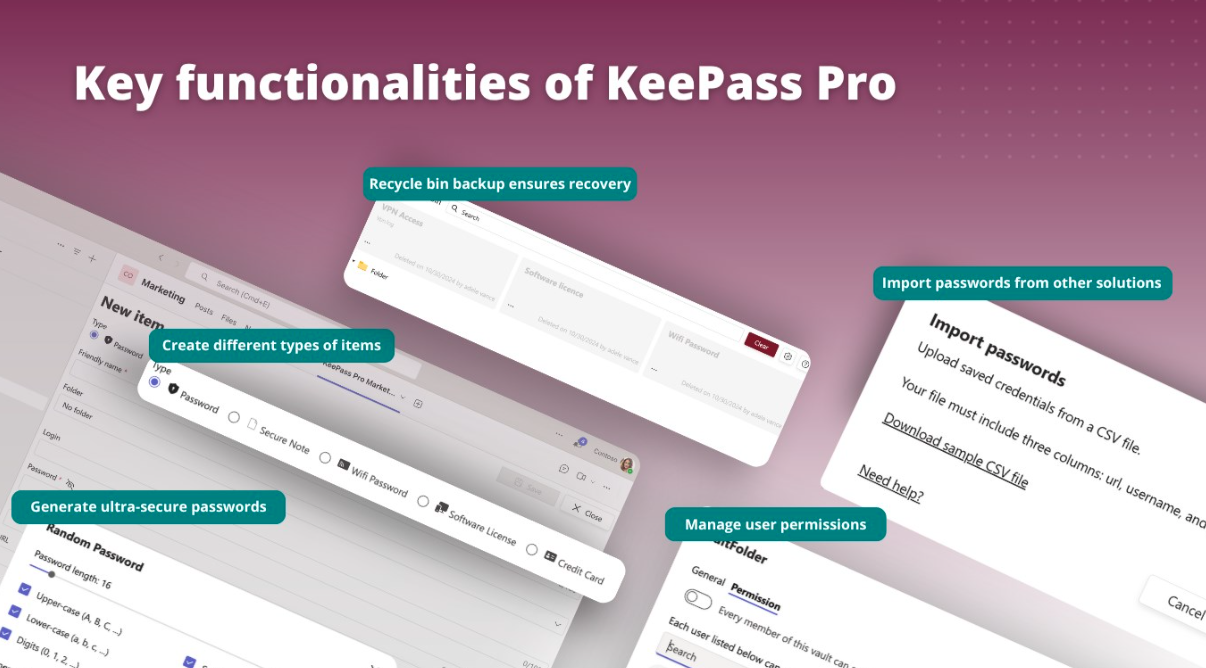
Most password managers were built for individuals and added team features later. The architecture wasn't designed for shared use. Look for tools built around the team use case from the start, with concepts like shared vaults, role-based folder permissions, and audit trails.
Keep credentials in infrastructure you control
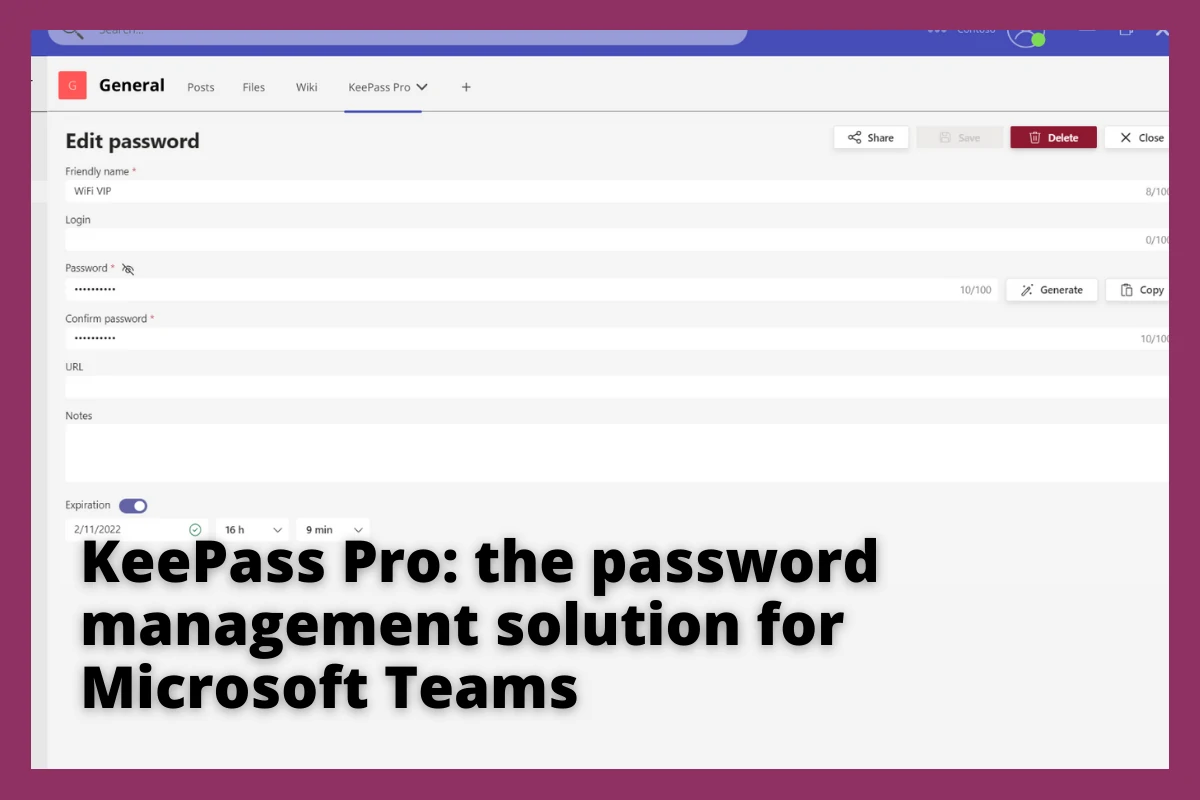
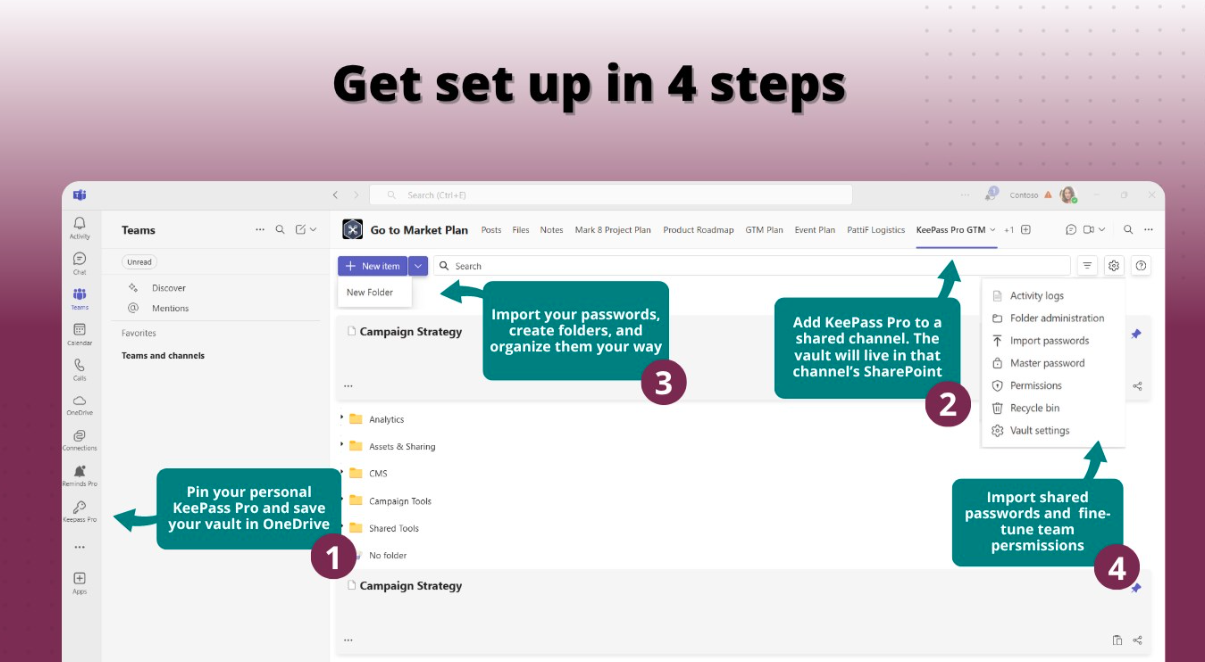
For teams using Microsoft 365, this means storing your credential vault inside your own SharePoint or OneDrive, not in a third-party SaaS. The data stays under your tenant's security perimeter, your DLP rules, your retention policies, your compliance posture. This is the principle behind KeePass Pro: the database file is yours, stored where you decide.
Audit access quarterly
Block 30 minutes every quarter to review your team's vault. Who has access to what? Are there entries for ex-employees, finished projects, decommissioned tools? Delete what's no longer needed. This single practice probably reduces credential-related risk more than any other.
Use folder-level permissions, not all-or-nothing access
Not everyone on your team needs access to the same passwords. The marketing tool credential shouldn't be reachable by the engineering team, and vice versa. A password manager that lets you scope access by folder, project, or role dramatically reduces blast radius if a single account is compromised.
Make secure sharing the easiest path
This is the most underrated practice. People don't paste passwords in Teams chats because they're reckless. They do it because it's faster than the secure alternative. If your password manager is more friction than a Teams message, your team will route around it.
The secure tool has to be the convenient tool. That means tight integration with where the team already works (Teams, Outlook, M365), one-click sharing, and zero training overhead.
Enable multi-factor authentication on the password manager itself
Your password manager protects everything. It needs to be the most-protected account you have. MFA on the vault, ideally with a hardware key or authenticator app, not SMS, is non-negotiable. CISA's guidance on multi-factor authentication now explicitly recommends phishing-resistant MFA over SMS-based codes for sensitive accounts.
Document a credential offboarding checklist
When someone leaves the team, there should be a written list of every shared credential they had access to, and someone should be responsible for either rotating it or removing their access. Without this, departures quietly degrade your security posture every time.
What World Password Day actually means for teams
May 7 is World Password Day. Most of the advice circulating that week will focus, predictably, on stronger passwords. Use a password manager. Enable MFA. Don't reuse credentials across accounts. All true. All worth saying.
But for teams that have already cleared that bar, and most teams reading this article have, the meaningful question is different. It's not "how strong are our passwords?" It's "where do our shared credentials live, and who has them?"
The honest answer for most teams is uncomfortable. They live in chat threads, spreadsheets, and people's heads. Access has accumulated organically over years. Nobody has audited it. Nobody is sure who has reach into what.
If that describes your team, World Password Day is a useful excuse to do something about it. Not a new password policy. Not another mandatory training. Just an honest look at where credentials actually live, and a decision to move them somewhere built for the job.
That decision is the one that pays off. Not on May 7. On the next ordinary Tuesday, when someone needs a password and finds it in five seconds, in the right place, with the right people seeing it.
How we think about this at Teams Pro
Full disclosure: we work on this problem every day. Witivio builds tools for teams who live in Microsoft Teams, and one of them, KeePass Pro, is our answer to the questions in this article.
It's built on the open-source KeePass standard, which has been audited and trusted for over two decades. The difference is where it runs. The vault lives in your own SharePoint, inside your Microsoft 365 tenant. Not in our cloud. Not in anyone else's. Sharing happens through Teams, with the permissions you already manage there.
We mention it because if the questions in this article are sitting uncomfortably with you, you'll need a tool to do something about them, and we'd rather you know what we offer than wonder. If KeePass Pro isn't the right fit, the principles in this article still apply. Pick a tool that keeps your data in your control, supports real shared vaults, and makes secure sharing the easiest path. That's what matters.
For World Password Day this year, we've put together a special plan: the WPD Platinum Edition, available at 30% off the first year for 48 hours only (May 7 and 8). It includes everything in KeePass Pro Platinum: shared vaults, folder-level permissions, full ownership in your SharePoint.
Offer applies to the first year of an annual plan.
Further reading
IBM Cost of a Data Breach Report (annual): the most cited industry source on breach economics, with detailed analysis of credential-related incidents and their financial impact.
ENISA Threat Landscape Report (annual): the European Union Agency for Cybersecurity's flagship report on emerging threats, including credential theft and supply-chain risks against cloud providers.
CISA Identity & Access Management resources: the US Cybersecurity and Infrastructure Security Agency's practical guidance on identity protection, MFA, and credential hygiene for organizations.
ANSSI cybersecurity publications: the French national cybersecurity agency's recommendations on authentication, password policy, and identity management. Particularly relevant for European organizations.
OWASP Authentication Cheat Sheet: community-maintained reference on authentication best practices, including secure storage and sharing of credentials.
Published May 2026. Updated annually.