
App

Reminds Pro: smart reminders for Microsoft Teams

Never miss a deadline again. Set smart reminders for yourself or your entire team, directly inside Microsoft Teams. No extra apps. No tab switching. Just timely nudges that keep everyone on track.
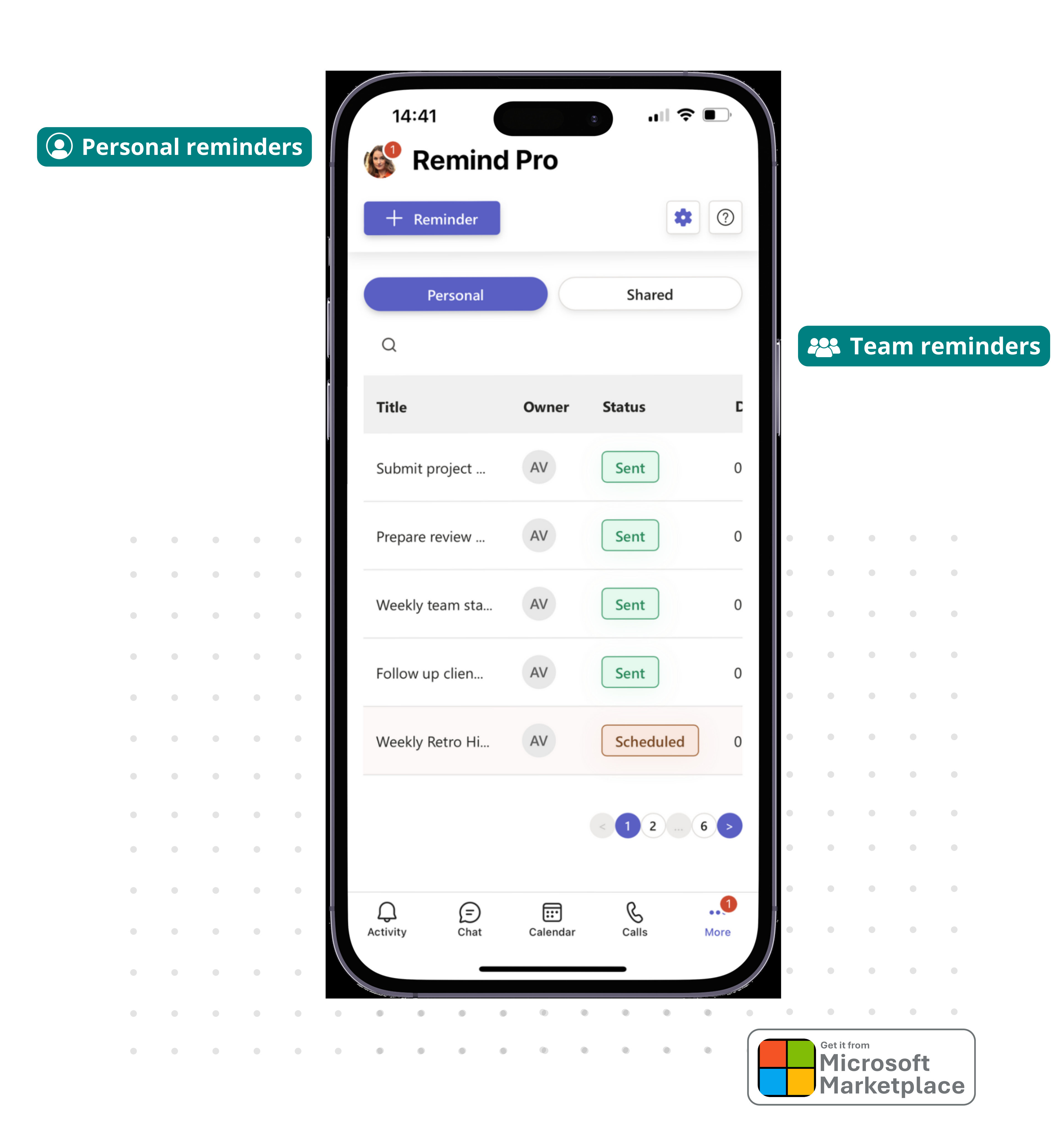
Reminds Pro: smart personal and team reminders inside Microsoft Teams

How teams use Reminds Pro

Stay on top of every deadline.

From daily stand-ups to quarterly deadlines, Reminds Pro keeps your team accountable, without ever leaving Microsoft Teams.

Personal Reminders

Set reminders for yourself and get notified at the right time, directly in Teams.

Team & Channel Reminders

Remind your whole team or a specific channel. Everyone gets notified at once, no individual messages needed.

Recurring Reminders

Set daily, weekly, or monthly reminders once and let them run. Perfect for recurring processes and rituals.

Deadline Tracking

Track project milestones and deadlines with automated alerts so nothing slips through the cracks.

Everything in one place

Reminders, participants, permissions, priority. All in one click.

A clean, focused interface that puts every reminder option at your fingertips. Set personal or team reminders, add participants, manage permissions, and choose priority levels in seconds.
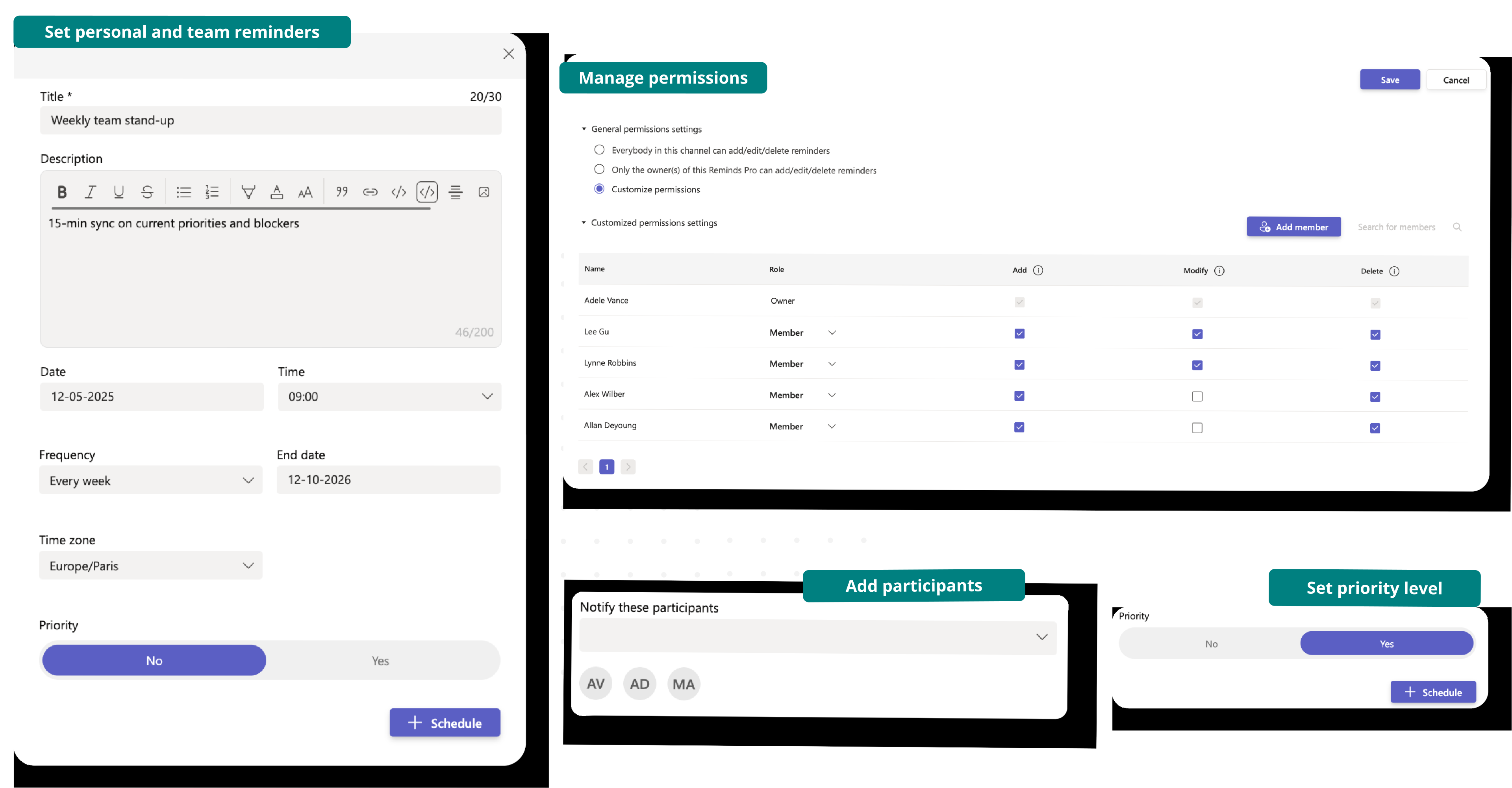
Reminds Pro features overview: reminders, participants, permissions, priority

Fast & Simple

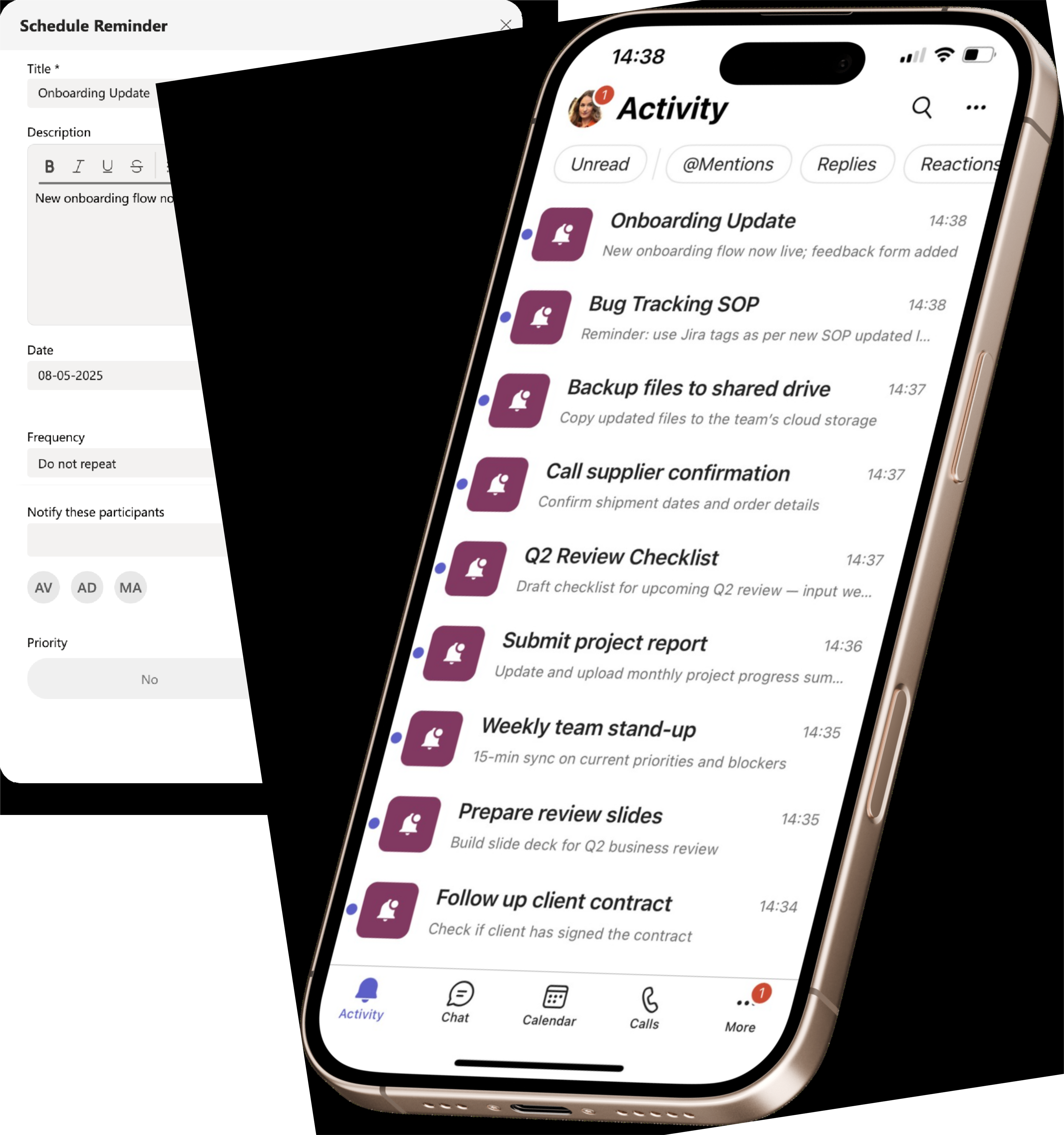
Schedule a reminder in seconds, right inside Teams

  • Open Reminds Pro in any Teams channel or personal chat and set a reminder in a few clicks.
  • Choose the date, time, and who to notify: yourself, specific teammates, or a whole channel.
  • Add a rich-text description with links and code so nothing needs explaining later.
  • Pick a priority level so urgent items stand out from routine nudges.
Schedule a new reminder in Reminds Pro

One Clean View

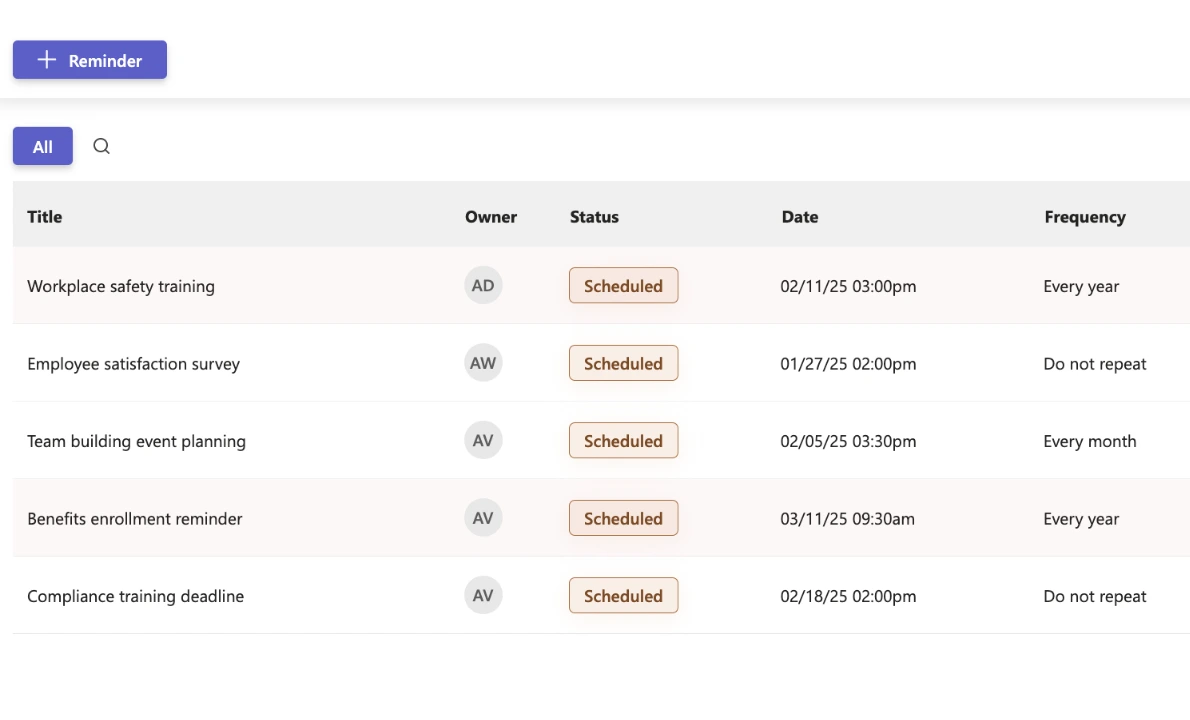
Every reminder, every team, in one place

  • See every scheduled reminder side by side: title, owner, status, date, frequency, and priority.
  • Filter by team, owner, or status to find what you need fast.
  • Edit, snooze, or cancel any reminder without losing context.
  • Spot upcoming high-priority items at a glance with visual indicators.
All reminders dashboard in Reminds Pro

Native to Microsoft Teams

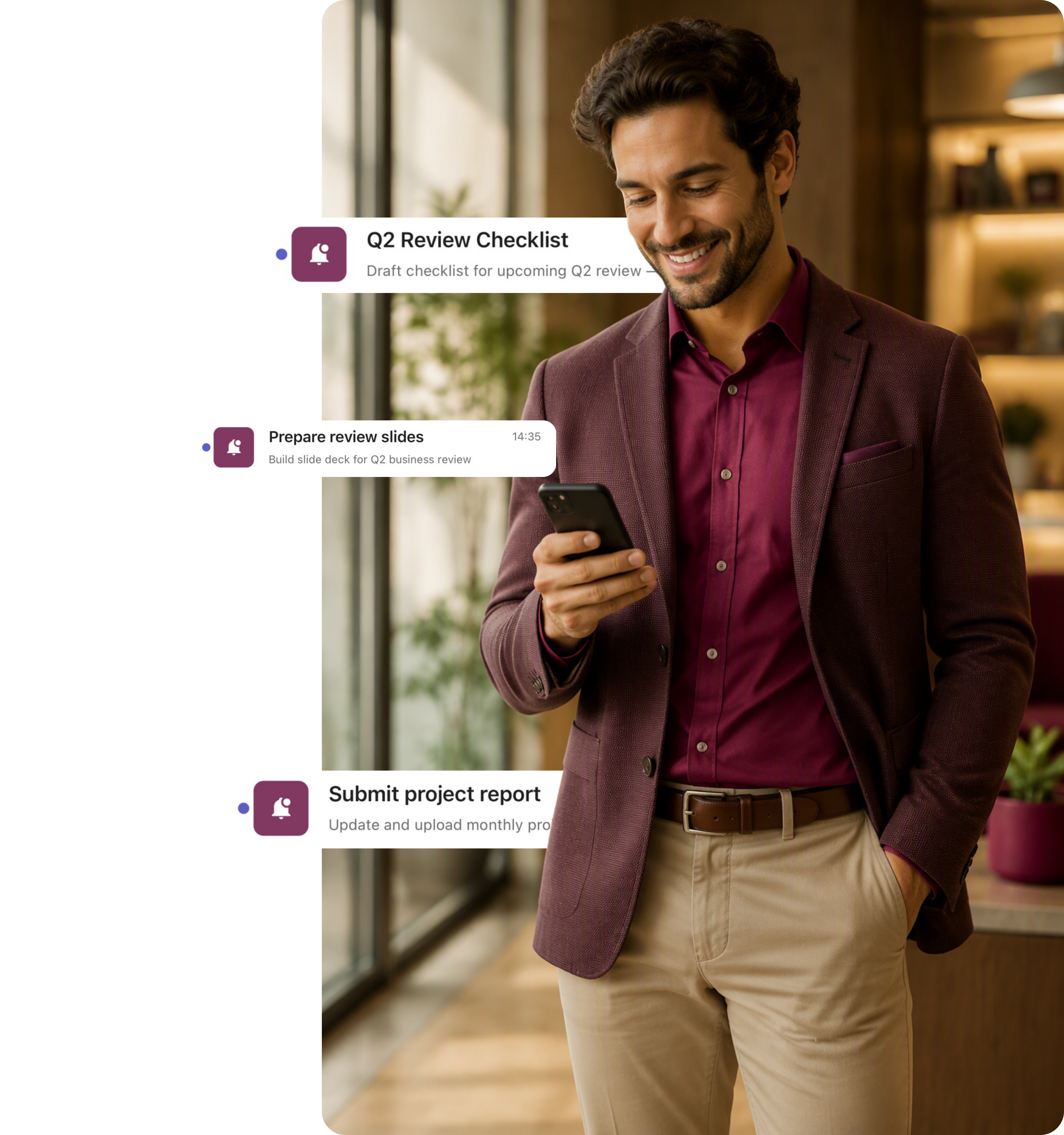
Reminders land in your Teams Activity feed

  • No new app to check. Reminders show up in the same Activity feed your team uses every day.
  • Reply, mention, or react directly from the notification, just like any other Teams message.
  • Mobile and desktop notifications arrive at the right time, on the right device.
  • Pause or snooze reminders without leaving the conversation flow.
Reminds Pro notifications in the Microsoft Teams Activity feed
Security & Privacy

Enterprise-grade security, by default

Hosted on Microsoft Azure. Your reminder data stays inside your Microsoft 365 tenant.

Azure-Hosted

Enterprise-grade security on Microsoft Azure with ISO 27001 certification and 99.9% uptime.

GDPR & ISO 27001

EU-hosted infrastructure with full GDPR compliance. Your data stays in your region.

Microsoft Partner

Microsoft Solutions Partner with deep integration into Microsoft 365 and Azure AD.

Pricing & Plans

Estimate your plan. Checkout happens on Microsoft Marketplace

Use this simulator to calculate your team’s cost. When you’re ready, visit Microsoft Marketplace to complete your purchase.

Simulate your pricing

Switch Billing Frequency

Teams Plan

Popular

For small teams working together in Teams channels, meetings, or group chats. Up to 100 licenses.

$2.00 user/month

Personal Plan

For individuals who need full control of reminders, including use in shared tabs. 1 to 2 licenses.

$3.00 user/month

Not sure which plan to pick?

Both plans include exactly the same features - the price simply adapts to your team size. Pick the Personal Plan for 1 or 2 people, or the Teams Plan for 2 to 100 users at a lower per-user rate. Every plan starts with a free first month.

Witivio is a trusted Microsoft Partner

Available on Microsoft AppSource
Microsoft Partner of the Year
Microsoft IP Co-sell
Microsoft AI Cloud Partner
Microsoft MACC Eligible
Microsoft Azure Marketplace
Compare plans
Teams Plan
$2.00 user/month
Get it now
Personal Plan
$3.00 user/month
Get it now

Reminders

Personal reminders

One-time reminders

Team & channel reminders

(Unlimited)
(Unlimited)

Recurring reminders (daily, weekly, monthly)

Collaboration & control

Permissions management

Multiple owners in shared tabs

Data & compliance

EU data residency (GDPR compliant)

Free data backup & recovery

Support

Help Center access

Support tickets and live chat

FAQ

Frequently asked questions

What do you consider a license?
A license refers to the permission granted to one user to use Reminds Pro's paid features. 1 license = 1 Microsoft Teams user. Users who only receive reminders (but do not create or manage them) do not need a license.
Do I need a license for every user?
No. Only users who create or manage reminders need a license. Team members who simply receive reminder notifications in a channel can do so for free.
Which plan should I choose, Personal or Teams?
Both plans include exactly the same features; the price simply adapts to your team size. The Personal Plan is for 1 or 2 users at $3.00/user/month (or $30.00/user/year). The Teams Plan is for 2 to 100 users at a lower rate of $2.00/user/month (or $20.00/user/year).
Is there a free trial?
Yes. Every plan starts with a free first month. You can subscribe to Reminds Pro from the Microsoft Marketplace, and billing only begins after your first month.
What is Reminds Pro?
Reminds Pro is a Microsoft Teams app that lets you set smart reminders for yourself or your team. You can schedule one-time or recurring reminders, send them to individuals or whole channels, and manage everything from within Teams.
Can I send a reminder to an entire Teams channel?
Yes. You can send reminders to any Teams channel, and every member of that channel receives the notification at the same time. Unlimited team and channel reminders are included in every plan.
Can I set recurring reminders?
Yes. You can set reminders to repeat daily, weekly, or monthly with custom recurrence patterns. Once set, they fire automatically. Recurring reminders are included in every plan.
Can I edit or cancel a reminder after setting it?
Yes. You can edit, snooze, reschedule, or delete any reminder at any time from the Reminds Pro management view inside Teams.
Can I control who manages reminders?
Yes. Permissions management lets you control who can view, edit, and delete reminders, and you can assign multiple owners to a shared tab. This is included in every plan.
Where is my data stored?
All data is stored on Microsoft Azure infrastructure in the EU. Your reminder data never leaves the Microsoft cloud environment.
Is Reminds Pro GDPR-compliant?
Yes. Reminds Pro is fully GDPR-compliant. Users can request data access, deletion, or export at any time.
Does Reminds Pro require separate login credentials?
No. Reminds Pro authenticates via Microsoft 365 SSO using Azure Active Directory. No new usernames or passwords are required.
How do I install Reminds Pro for my organization?
Reminds Pro can be installed directly from the Microsoft Teams Store. IT admins can also deploy it centrally via the Teams Admin Center, pre-installing it for all users or specific groups.

Ready to stop missing deadlines?

Join thousands of teams using Reminds Pro to stay on track inside Microsoft Teams.